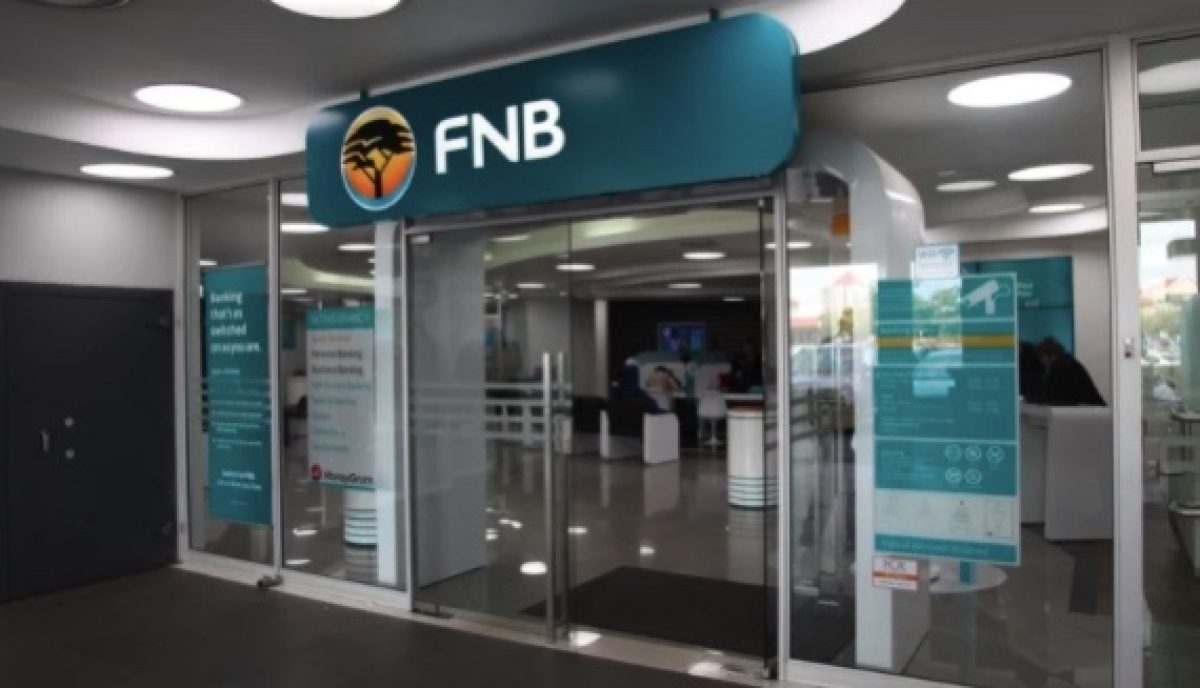
First National Bank (FNB) is one of Africa’s most respected and innovative financial institutions. With a history that spans more than a century, FNB has grown from a traditional banking institution into a modern digital bank offering a wide range of financial products and services to individuals, businesses, and corporations.
Whether you want to open your first bank account, apply for a personal loan, finance a home, save for the future, or manage your investments, FNB provides solutions designed to meet different financial needs. The bank is particularly known for embracing technology, making banking more convenient through mobile apps, online banking, digital payments, and self-service platforms.
This guide explains everything you need to know about First National Bank, including its history, services, products, advantages, and why millions of customers continue to trust the bank.
Read: How to register for Standard Bank Cellphone Banking
What Is First National Bank (FNB)?
First National Bank (FNB) is one of the divisions of FirstRand Bank Limited, one of the largest financial services groups in Africa. The bank serves millions of customers across several African countries, including South Africa, Botswana, Namibia, Zambia, Eswatini, Lesotho, Ghana, and other selected markets.
FNB offers comprehensive banking services for:
- Personal banking
- Business banking
- Corporate banking
- Commercial banking
- Wealth management
- Investment services
- Insurance products
- Digital banking solutions
Its mission is to provide innovative financial services while helping customers manage their money efficiently through technology-driven solutions.
A Brief History of FNB
First National Bank has a rich history dating back to 1838, making it one of the oldest banks in South Africa. Over the decades, it has evolved through mergers, acquisitions, and technological advancements to become one of Africa’s leading financial institutions.
The formation of the FirstRand Group further strengthened FNB’s position in the banking industry, enabling it to expand its services while investing heavily in innovation and digital banking.
Today, FNB continues to lead in areas such as mobile banking, contactless payments, artificial intelligence, and customer-focused financial solutions.
Features of FNB Cellphone banking
- View balances
- Buy prepaid airtime, SMS and data bundles
- Buy prepaid electricity
- Send money
- Pay your accounts
- Apply for loans
- Make payments (incl. once-off payments)
- Transfer money between accounts
- Place notice on your savings accounts
- View a List of Debit Orders
- Dispute Debit Orders
- Stop Debit Orders
- Make payments to Namibia, Swaziland and Lesotho
Read: Register for Tesco Online banking and Mobile App
How to register for First National Bank (FNB) cellphone banking
You can register for First National Bank (FNB) Cellphone Banking quickly by dialing*120*321# on your phone and following the prompt or at any FNB branch. Registration is free and gives you access to secure banking services anytime, anywhere.
Please follow the steps below to start registration process.
- Dial *120*321#
- Accept the Terms & Conditions.
- Enter your ATM card PIN.
- Create a 5-digit Cellphone Banking PIN and confirm it.
- You’ll see a success message once registration is complete.
How to view account balance from FBN via cellphone banking
To view your account balance from FNB (First National Bank) via Cellphone Banking, you’ll use their USSD service. Here’s the simple step-by-step process:
- Dial *120*321#
- Enter your Cellphone Banking PIN
- Select Balances
- Choose the account you want to view
2. Buy Prepaid Airtime, SMS & Data Bundles
You can buy airtime and data from FNB (First National Bank, South Africa) via Cellphone Banking by dialing *120*321# or *130*321# and following the prepaid purchase prompts. This works even if you don’t have airtime, and bundles are loaded instantly to your chosen number.
- Dial *130*321#
- Enter PIN → Select Prepaid
- Choose Airtime/Data/SMS
- Enter cellphone number (yours or another)
- Enter amount → Confirm
3. How to Buy Prepaid Electricity from FNB Cellphone banking
To buy prepaid electricity from FNB (First National Bank, South Africa) via Cellphone Banking
- Dial *120*321#
- Enter PIN → Select Prepaid
- Choose Electricity
- Enter meter number → Enter amount
- Confirm purchase → Token sent via SMS
4. Send Money (eWallet)
- Dial *120*321#
- Enter PIN → Select Send Money
- Choose eWallet
- Enter recipient cellphone number → Enter amount
- Confirm transaction → Recipient gets SMS with withdrawal PIN
5. Pay Your Accounts
- Dial *120*321#
- Enter PIN → Select Payments
- Choose Pay Accounts
- Select registered beneficiary or enter details
- Enter amount → Confirm
6. Apply for Loans
- Dial *120*321#
- Enter PIN → Select Loans
- Choose loan type (e.g., Personal Loan)
- Follow prompts to apply
7. Make Payments (Once-off)
- Dial *120*321#
- Enter PIN → Select Payments
- Choose Once-off Payment
- Enter beneficiary details → Enter amount → Confirm
8. Transfer Money Between Accounts
- Dial *120*321#
- Enter PIN → Select Transfers
- Choose source account → Choose destination account
- Enter amount → Confirm
9. Place Notice on Savings Accounts
- Dial *120*321#
- Enter PIN → Select Savings
- Choose Place Notice
- Enter details → Confirm
10. View Debit Orders
- Dial *120*321#
- Enter PIN → Select Debit Orders
- Choose View List
Read:Absa cellphone banking: How to Register, transfer money and check Balance
11. Dispute Debit Orders
- Dial *120*321#
- Enter PIN → Select Debit Orders
- Choose Dispute → Follow prompts
12. Stop Debit Orders
- Dial *120*321#
- Enter PIN → Select Debit Orders
- Choose Stop Debit Order → Confirm
13. Make Payments to Namibia, Swaziland & Lesotho
-
- Dial *120*321#
- Enter PIN → Select Payments
- Choose Cross-border Payments
- Enter recipient details → Enter amount → Confirm

Contact us; Kokobest04@gmail.com