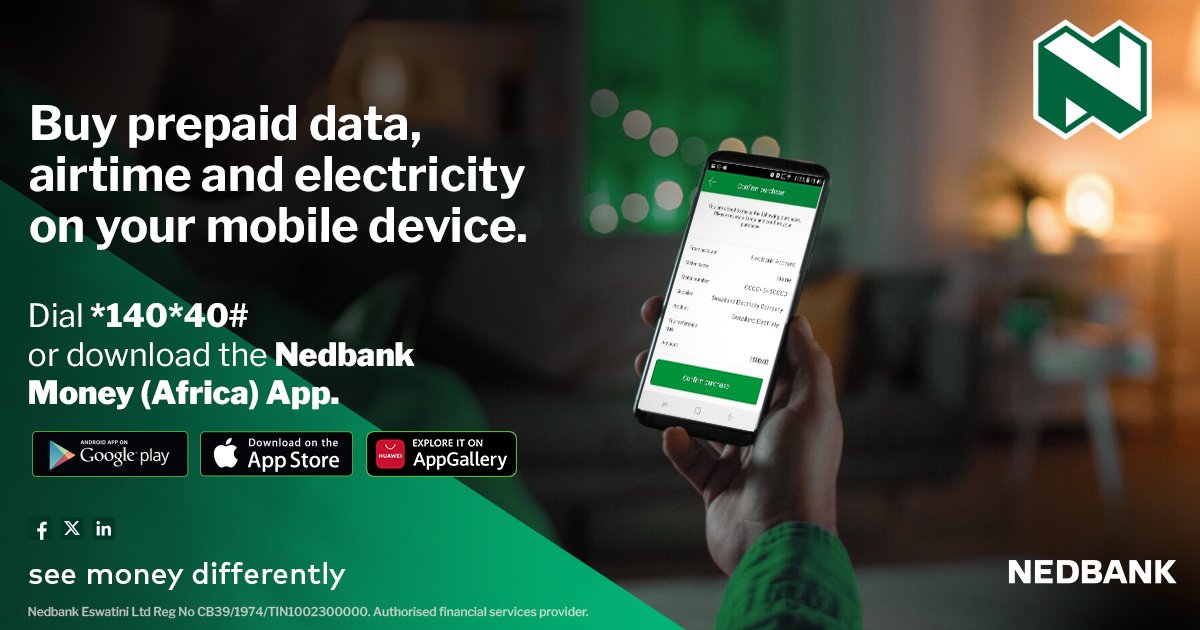
In today’s dynamic digital era, mobile banking has become indispensable for managing finances anytime, anywhere. At the forefront of this evolution is Nedbank’s CellphoneBanking service, designed to deliver a seamless and convenient experience. With a wide range of features, it empowers customers to carry out transactions, oversee accounts, and access essential services directly from their mobile devices.
Nedbank Cellphone Banking emerged as a response to the growing demand for accessible financial services. First introduced in the early 2000s, it began as a simple SMS-based solution and has since evolved into a comprehensive mobile offering a wide array of services. Over the years, the platform has kept pace with technological advancements, consistently adapting to customer needs while maintaining ease of use. Think of it as a trusted companion—always current, always reliable, and never falling behind the trends.
The great news is that you can use any cellphone, as long as the number you’re dialing from is your primary cellphone number linked to your Nedbank account.
Read: Capitec Bank Cellphone Banking- How to buy data, airtime, transfer money and check account balance
Features and Benefits of Nedbank Cellphone Banking
In a world where convenience and accessibility define modern banking, Nedbank Cellphone Banking stands out as a reliable solution for customers who want to manage their finances anytime, anywhere. Designed to work on any cellphone—without the need for internet access—it empowers users with essential banking services at their fingertips.
Dial *120*001# and enjoy full banking freedom—even in remote areas or outside traditional banking hours.
- Transfer funds instantly to any cellphone number for cardless withdrawals or quick beneficiary payments.
- Top up airtime, buy data, electricity, or gift vouchers directly from your phone.
- Block or freeze lost or stolen cards, reset your PIN, and manage card settings with ease.
- Check balances and view up to 20 recent transactions without visiting a branch.
- Make secure, real-time payments using South Africa’s advanced payment system.
- Play Lotto, Powerball, and HollywoodBets straight from your phone.
- Take up funeral cover or manage your investments—all within the same platform.
How to Register for Nedbank Cellphone Banking
Nedbank Cellphone Banking is designed to make financial services accessible to everyone, regardless of whether they own a smartphone or have internet access. Registration is quick, simple, and can be done from any cellphone.
Step-by-Step Registration Guide
1. Start by dialing *120*001# on your cellphone. This works on all devices, even basic phones, and does not require data or an app.
2. You’ll be prompted to provide your Nedbank card number. This step links your account to the Cellphone Banking service.
3. Set up a Cellphone Banking PIN. This PIN will be used to authorize all transactions. For security, avoid using your ATM PIN or any easily guessable numbers.
4. Once your details are verified, you’ll receive a confirmation message. From this point, you can immediately start using Nedbank Cellphone Banking.
Read: 50 United States Capitals and Abbreviations
How to buy airtime or data using Nedbank Cellphone Banking
Running out of airtime or data can be frustrating, especially when you’re on the move. With Nedbank Cellphone Banking, you can top up instantly—no app, no data, and no need to visit a store. All you need is your cellphone and your Nedbank account.
Step-by-Step Guide
1. On your cellphone, dial *120*001#. This works on any phone, even without internet access.
2. From the menu, choose “Buy Airtime/Data” or the prepaid services option.
3. Select whether you want to buy airtime or data. You can also purchase electricity or gift vouchers from the same menu.
4. Provide the cellphone number you want to recharge (it can be your own or someone else’s). Then enter the amount of airtime or data you wish to purchase.
5. Review the details and confirm. The amount will be deducted directly from your Nedbank account.
6. You’ll get a confirmation message once the transaction is successful. Airtime or data is loaded instantly onto the chosen number.
How to send money instantly from Nedbank cellphone banking
Nedbank Cellphone Banking makes it easy to send money instantly—whether to another bank account or directly to a cellphone number for cardless withdrawal. This service is designed for convenience, security, and speed, ensuring that your funds reach the recipient right away.
Step-by-Step Guide
1. On your cellphone, dial *120*001#. This works on any phone, even without internet access.
2. From the menu, choose “Send Money”.You’ll be prompted to select whether you want to send to a bank account or a cellphone number.
3. If sending to a cellphone number: Enter the recipient’s cellphone number.
The recipient will receive an SMS with instructions to withdraw the money from a Nedbank ATM without a card.
If sending to a bank account: Enter the recipient’s account details.
4. Choose the amount you want to send.
5. Review the details carefully. Then enter your Cellphone Banking PIN to authorize the payment.
6. You’ll get a confirmation SMS once the transaction is successful.
If you sent money to a cellphone number, the recipient can withdraw instantly without needing a card.
How to Check Your Balance & Transactions
1. On your phone, dial *120*001#. This works on any device—no data or smartphone required.
2. Enter your Nedbank card number and PIN.
3. From the menu, select Balances to see your available balance instantly.
4. Choose Transactions to view up to 20 of your most recent transactions directly on your phone.
Read: How to buy data plan, Request and gift data on Airtel
How to make payments using Cellphone Banking
- Dial *120*001#and log in to Cellphone Banking
- Choose Pay from the main menu.
- Select from which account you would like to make your payment.
- Select 1 for My recipient to pay a saved beneficiary or choose a beneficiary from your list of saved recipients. Then, enter the amount and confirm the payment.
- Select 2 for Bank-approved recipients. Search for the recipient name from the list of Nedbank-approved beneficiaries. Enter the statement reference, then the amount, and confirm the payment.
- Select 3 for Government payment requests. Choose the relevant payment request, confirm or change the statement reference, and confirm the payment.
Read: List of 9mobile/etisalat data Plan and subscription code
Here’s how to block, unblock or freeze your card using Nedbank Cellphone Banking (via USSD on your phone):
You can manage your card directly via the USSD menu without needing the app or internet:
- Dial:
*120*001#on your mobile phone. - Log in using your 5-digit Cellphone Banking PIN (you set this when you registered).
- From the menu, choose “More” or “Manage cards.”
- You’ll see options like:
- Block card — if your card is lost or stolen and you want to stop all transactions immediately.
- Freeze card — temporarily disable the card (so it can’t be used, but you can unfreeze it later if you find it).
- Unfreeze or unblock — if you previously froze or blocked the card and now want to restore use (note: full unblock after a permanent block might require contacting the bank).
- Select the card you want to manage and follow the on-screen steps.
“Freeze” is useful if you’ve misplaced the card but think you might find it again — it stops transactions but doesn’t cancel the card. Block” is for lost/stolen cards to prevent all use and usually leads to requesting a replacement.

Contact us; Kokobest04@gmail.com
- SBA 504 loan and the SBA 7(a) loan: Which Is Better for Your Business? - October 19, 2026
- List of Banks and Credit Unions in the United kingdom - October 8, 2026
- List of Banks and Credit Unions in the United States - October 8, 2026