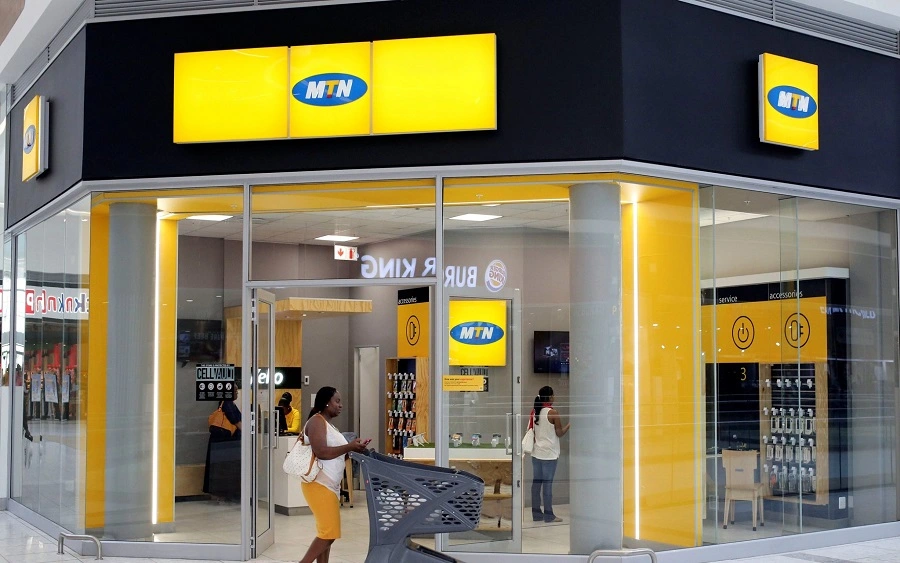
MTN Nigeria Customer Care is the support system of MTN Group, one of Africa’s largest telecommunications providers. Serving millions of subscribers across Africa and the Middle East, MTN offers assistance for mobile, data, fintech, and enterprise services through multiple convenient channels.
To deliver a seamless communication
Its team of highly trained professionals brings deep expertise in products and services, enabling them to provide personalized assistance tailored to each customer’s unique requirements. Whether you need guidance on your mobile plan, help with network connectivity, billing support, or technical troubleshooting for your devices, MTN Customer Care is ready to assist.
Friendly representatives are available 24/7 across multiple channels—including phone, email, live chat, and social media—ensuring that customers can always reach out in the way most convenient to them.
Read: How to Buy MTN Data and subscription code
What MTN Customer Care Helps With
MTN customer support is designed to resolve a wide range of issues, including:
- SIM registration and activation
- Data bundle purchases and troubleshooting
- Mobile money (MoMo) support
- Billing inquiries and tariff plan changes
- Network coverage and connectivity issues
- Device configuration (internet/APN settings)
- Roaming activation and international services
- Lost or stolen SIM card replacement
Whether you’re a prepaid or postpaid customer, MTN provides dedicated support structures tailored to your needs.
Ways to Contact MTN Customer Care
Here are the primary ways to get in touch with MTN Nigeria Customer Care if you need assistance with your line, subscription plan, network issues, billing, or any other service-related concern:
Phone Support
- Dial 300 from your MTN number — this is the main customer care line and is toll-free when called from an MTN SIM.
- If you call from another network (e.g., Airtel, Glo, 9mobile), use 0803 100 0300 — standard call charges apply.
- If you’re outside Nigeria, dial +234 803 100 0300 to reach MTN Nigeria support.
WhatsApp Support
Message MTN Customer Care on WhatsApp — perfect for sending screenshots or text chats:
- 0903 300 0001 (primary support)
Save the number, then send your name, MTN number, and a description of your issue.
Email Support
For non-urgent issues or those requiring documentation:
Include your MTN phone number, a clear description, and any relevant screenshots.
MyMTN App & Website
- Download the MyMTN NG app from your app store to raise tickets or chat via the Support section.
- Visit www.mtn.ng and use the live chat widget for assistance.
Social Media
Reach MTN Customer Care through:
- Twitter/X: @MTNNG
- Facebook: MTN Nigeria / MTNLoaded
- Instagram: @mtnng
Send a direct message with your issue — responses often arrive within a few hours.
MTN Stores
For SIM swaps, biometric updates, or in-person support, locate the nearest service center via: www.mtn.ng/stores
Read: How to buy Glo data plan and cancel data Renewal
How to contact Mtn on WhatsApp
You can contact MTN Nigeria on WhatsApp using their customer care number.
MTN WhatsApp number
-
+234 903 300 0001
-
WhatsApp link: https://wa.me/2349033000001
How to chat with MTN on WhatsApp
-
Save this number on your phone: 0903 300 0001.
-
Open WhatsApp.
-
Search for the contact you saved.
-
Send a message like “Hello” or “Hi”.
-
A bot or agent will reply and ask what you need help with.
You can ask them about:
-
Data issues
-
Airtime problems
-
SIM registration
-
Network complaints
Tips For Effective Communication With Mtn Customer Care
Contacting MTN Customer Care can be quick and stress-free if you approach it the right way. Whether you’re calling, chatting, or visiting a service center, these tips will help you resolve your issue faster.
1. Have Your Details Ready
Before contacting support, prepare:
- Your MTN phone number
- Full name used for SIM registration
- ID details (if required)
- Transaction ID (for failed payments or MoMo issues)
- Date and time the issue occurred
Having this information ready reduces back-and-forth questions.
2. Clearly Explain the Problem
Be specific. Instead of saying:
“My network is bad.”
Say:
“I haven’t been able to make calls since 3 PM today, and I’m getting a ‘Network Busy’ message.”
Clear explanations help agents diagnose issues faster.
3. Stay Calm and Polite
Customer care agents are more willing to help when conversations remain respectful. Even if you’re frustrated, staying calm improves communication and speeds up resolution.
4. Use the Right Channel
Choose the best contact method for your issue:
- Urgent problems (blocked SIM, no network): Call the hotline
- Billing or transaction disputes: Email or WhatsApp (so you can attach proof)
- Simple inquiries (data balance, subscriptions): Use USSD codes or the MyMTN app
Email & Messaging
Using the correct channel saves time.
5. Note Reference Numbers
If your issue is escalated, MTN may provide a complaint or reference number. Write it down. It helps if you need to follow up later.
Avoid Sharing Sensitive Information
Never share:
- Your PIN
- One-time passwords (OTP)
- Mobile Money PIN
MTN representatives will not ask for your confidential PIN.
6. Call During Off-Peak Hours
Customer care lines are usually less busy:
- Early mornings
Late evenings
This reduces waiting time.
7. Follow Up If Necessary
If the issue isn’t resolved within the promised time:
- Call back with your reference number
- Politely request an update
Persistence (with patience) works.
Read: List of 9mobile/etisalat data Plan and subscription code
If your MTN SIM card is lost or stolen, it’s important to act quickly to prevent unauthorized use. Here’s what to do if you’re using MTN Nigeria:
Call Customer Care
- Dial 300 from any MTN line
Service Providers
- Or call 0803 100 0300 from another network
Request that your line be blocked immediately to prevent calls, SMS, or fraudulent transactions.
Be ready to provide:
- Your full name
- The lost phone number
- Date of birth
- Last recharge amount or recent activity (for verification)
Step 2: Visit an MTN Service Center
Go to the nearest MTN store for a SIM swap (replacement).
Bring:
- A valid government-issued ID
Mobile Apps & Add-Ons
- Your NIN (if linked to the SIM)
The representative will:
- Verify your identity
- Issue a replacement SIM
- Restore your number, remaining airtime, and data (if applicable)

Contact us; Kokobest04@gmail.com
- List of Banks and Credit Unions in the United kingdom - October 8, 2026
- List of Banks and Credit Unions in the United States - October 8, 2026
- Mortgage Preapproval Requirements: What You Need to Qualify - October 8, 2026